


Refined Data Input and Management
The Gradebooks module boasts a more refined approach to data input to improve the overall user experience. This includes functionality such as the ability to paste data into multiple cells and duplicate the entered value via cell selection, in addition to automatic or manual staff and student allocations.
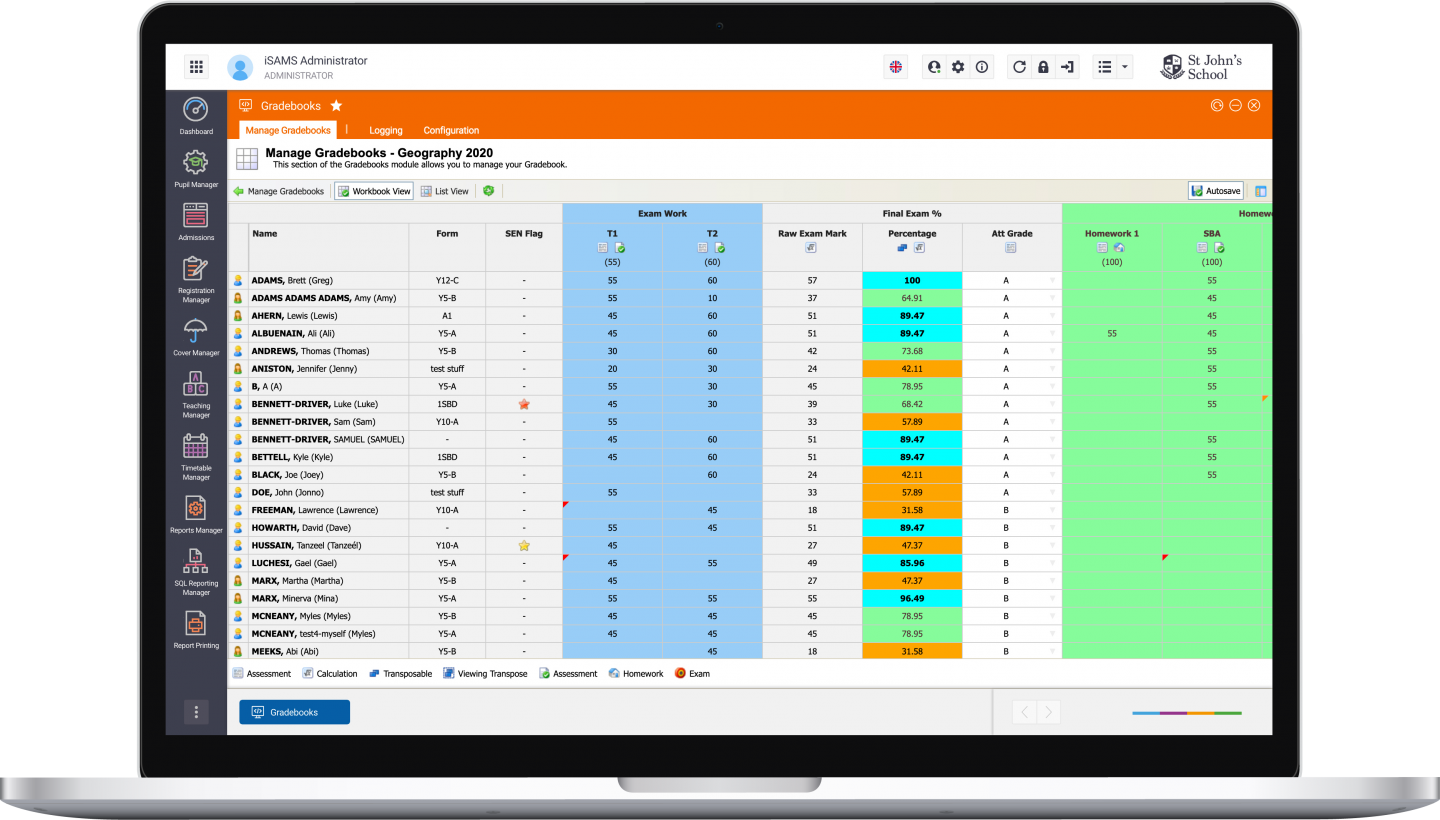
Using the Gradebooks module you can store all class test information in a clear, concise spreadsheet – assigned by individual teacher or by subject or department head.
Highly flexible and simple to use, Gradebooks uses a drop-down list and columns to store and manage numeric marks and grade sets. You can lock columns and data and also use it to calculate marks and grades over specific time periods, such as terms or academic years. You can also assign sets so students can be automatically entered, and use filters to create specific views of the data and highlight under- or overachieving pupils.
Gradebooks data can also be exported to a synchronised reports system, so all new data is automatically updated whenever you add any information, and it’s also compatible with Excel.
Curriculum Manager: the foundation behind your Gradebooks
With iSAMS Curriculum Manager, your school builds gradebook templates once — by year group, subject, or curriculum — and a fully configured Gradebook is generated automatically for every set the moment it’s imported from Teaching Manager. The structure, assessment columns, weightings, and grading periods are all defined centrally, so every teacher opens iSAMS at the start of term with their Gradebook already there.
Grades entered in Gradebooks then flow automatically into School Reports, Tracking Manager, and — for schools managing GPA and university transcripts — into the GPA engine in Curriculum Manager. One entry, everywhere it needs to be.
Features overview
Assign a gradebook to an individual teacher or at a global level by subject or department heads.
Include numeric data, grade set from dropdown list selection, custom values, calculated columns and data from other gradebooks.
Assign sets to global gradebooks so that students can be entered automatically.
Use filters to create specific views of the data and highlight under- and overachieving pupils.
Export gradebook data to the reports system on individual teachers or at a global level. A report synchronisation feature allows data to be automatically pushed to the reports system when a gradebook is updated.
Export gradebook data to Excel and assign data to custom reporting services reports.
Publish gradebook results directly to the Student and Parent Portals.
You can use our predefined calculations (point, raw scores, weighted and more) and if you want to make something more complicated you can opt for the formula builder.

Gradebooks is another module our staff members love, especially compared to what we had previously, as they can now draw data directly from it and even completely automate online assessments – so it’s a real time-saver.