


iSAMS launches Body Map feature to strengthen student safeguarding in schools
New visual injury recording tool gives schools a smarter, more consistent approach to student wellbeing.
iSAMS has launched its Body Map feature within Wellbeing Manager – a significant step forward in how schools record, monitor and respond to student welfare concerns.
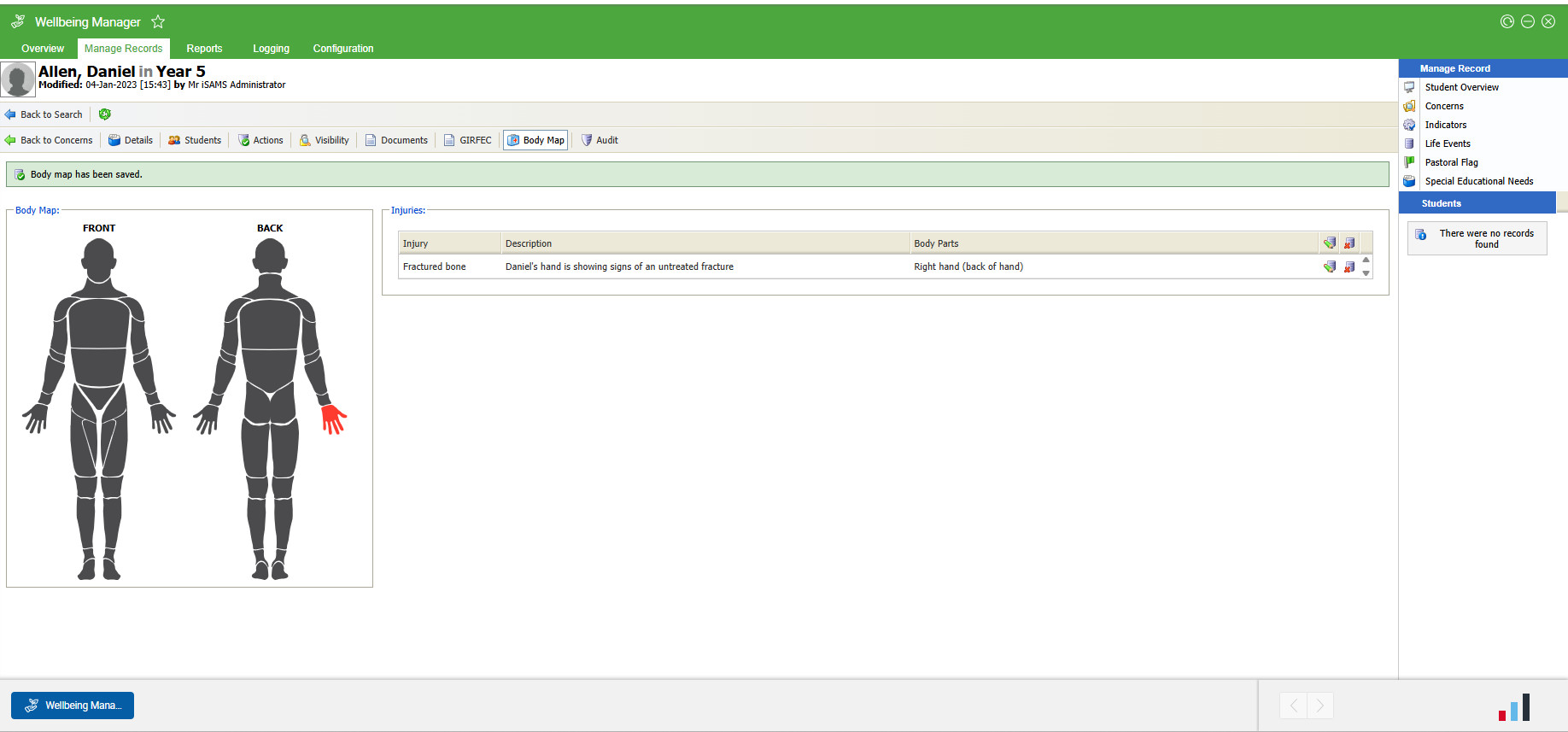
The Body Map enables school staff to visually record and track student injuries directly onto a body diagram, creating a clearer, more accurate picture of each student’s physical wellbeing over time.
Addressing a Critical Need in Independent and International Schools
For schools, safeguarding is not just a legal obligation – it is a cornerstone of the trust that families place in their school community. Yet the process of recording and monitoring student injuries has historically relied on written descriptions alone, which can be inconsistent, difficult to review across time, and challenging to act on quickly.
The Body Map changes this. By giving staff a standardised, visual method for logging concerns, schools can identify patterns more readily, communicate more clearly between staff members, and ensure that no concern goes unnoticed or undocumented.
This is particularly significant for international schools operating across multiple campuses or jurisdictions, where consistent safeguarding practices and clear audit trails are essential.
Key Capabilities
The Body Map feature allows staff to pinpoint injury locations on a visual diagram, select multiple body parts within a single record for a comprehensive overview, and customise settings to reflect each school’s individual policies and environment. Concern records are flagged with a visible icon across Wellbeing Manager whenever a body map has been attached, enabling quick identification and follow-up. The interface has been designed for ease of use, ensuring the tool is accessible to every member of staff – not just those with a clinical or pastoral background.
The Body Map feature is available now to all schools using Wellbeing Manager. Comprehensive setup and configuration guidance is available via the iSAMS Help Centre.
For more information, visit contact us here or reach out to your iSAMS Account Manager to find out more.